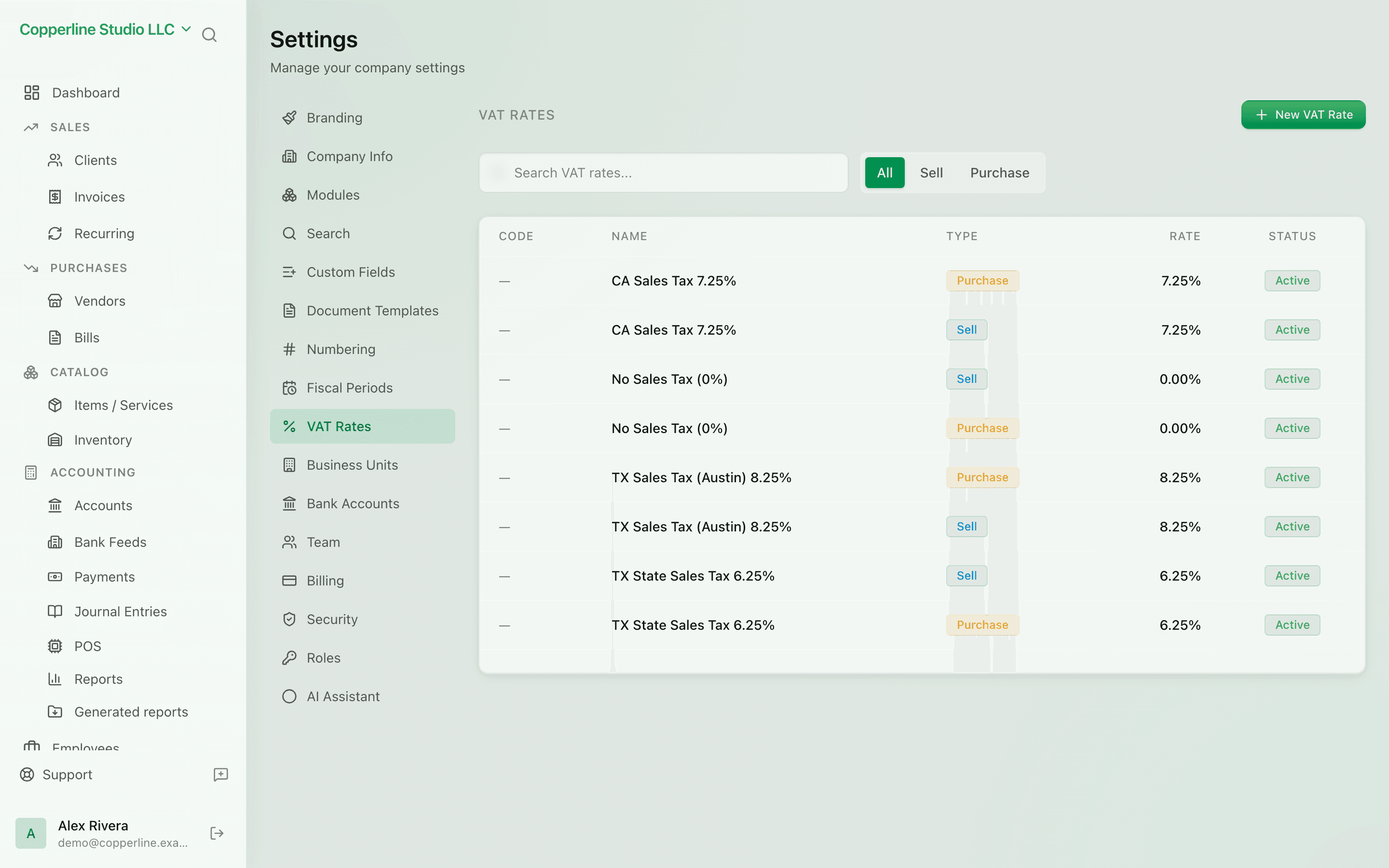
Tax rates configured once. Applied everywhere.
- Standard, reduced, zero, exempt
- Per-line tax on every document
- Reclaim tracked separately
Custom fieldsTemplates
What you get
Configure rates once; invoices, bills, and the POS pick them up automatically.
Frequently asked
Does Nefin support multiple tax jurisdictions?
Per-company tax setup is supported. Multi-jurisdiction within one company (e.g., US sales tax) is on the roadmap.
Can I exempt a specific client from tax?
Yes. Set the client's tax status to exempt; their invoices skip tax and the report tracks it.
Are tax rates effective-dated?
Yes. Update a rate and historical documents keep their original rate. New documents use the current one.
Works with
Kosovo VAT / TAK books
Libri i Shitjes and Libri i Blerjes generated from your ledger, exported to Excel.
Learn moreInvoicing
Send branded invoices and get paid faster.
Learn moreBills & expenses
Track what you owe vendors and stay ahead of due dates.
Learn moreFinancial reports
P&L, balance sheet, trial balance, AR/AP aging, GL.
Learn more