Real inventory, on real books.
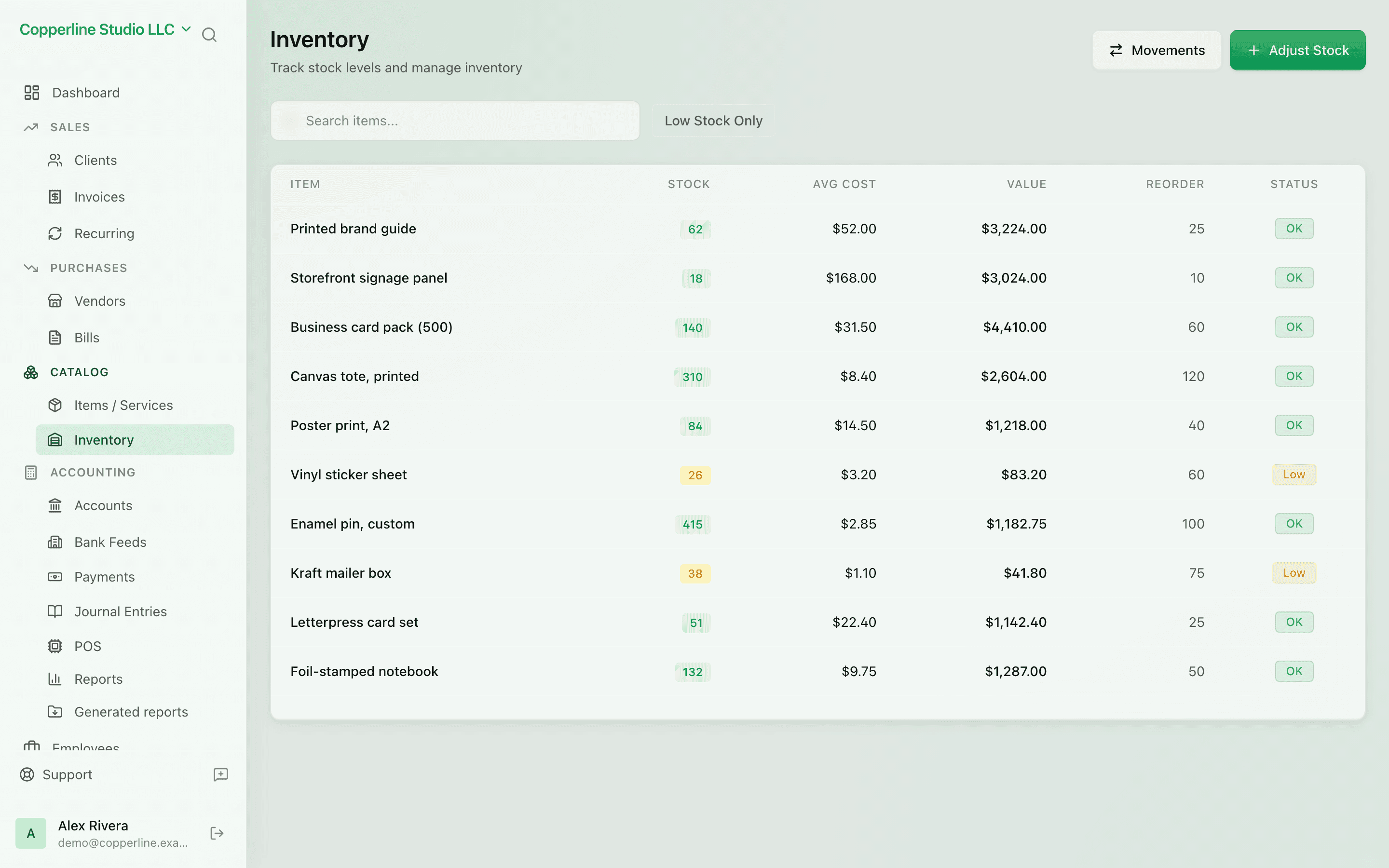
- Quantity on hand per item
- Weighted average cost (WAC)
- COGS posts on every sale
Items & servicesPOS integration
What you get
Stock counts, weighted average cost, and COGS — without a separate system.
Frequently asked
Does Nefin support FIFO or LIFO costing?
Today, weighted average cost only. WAC is a clean, defensible default for most small businesses.
Can I run a stock count and adjust?
Yes. Stock counts produce adjustment entries that post to a configurable inventory-adjustment account.
Does the desktop POS update inventory?
Yes. POS sales sync to Nefin and reduce inventory + post COGS exactly like invoice sales.
Works with
Items & services
A reusable catalog for invoicing and POS.
Learn morePOS integration
Free, offline-first POS that syncs sales as journal entries.
Learn moreAudit logs
Who changed what, when — for every record.
Learn moreAI assistant
Ask questions about your books; approve any change before it happens.
Learn more