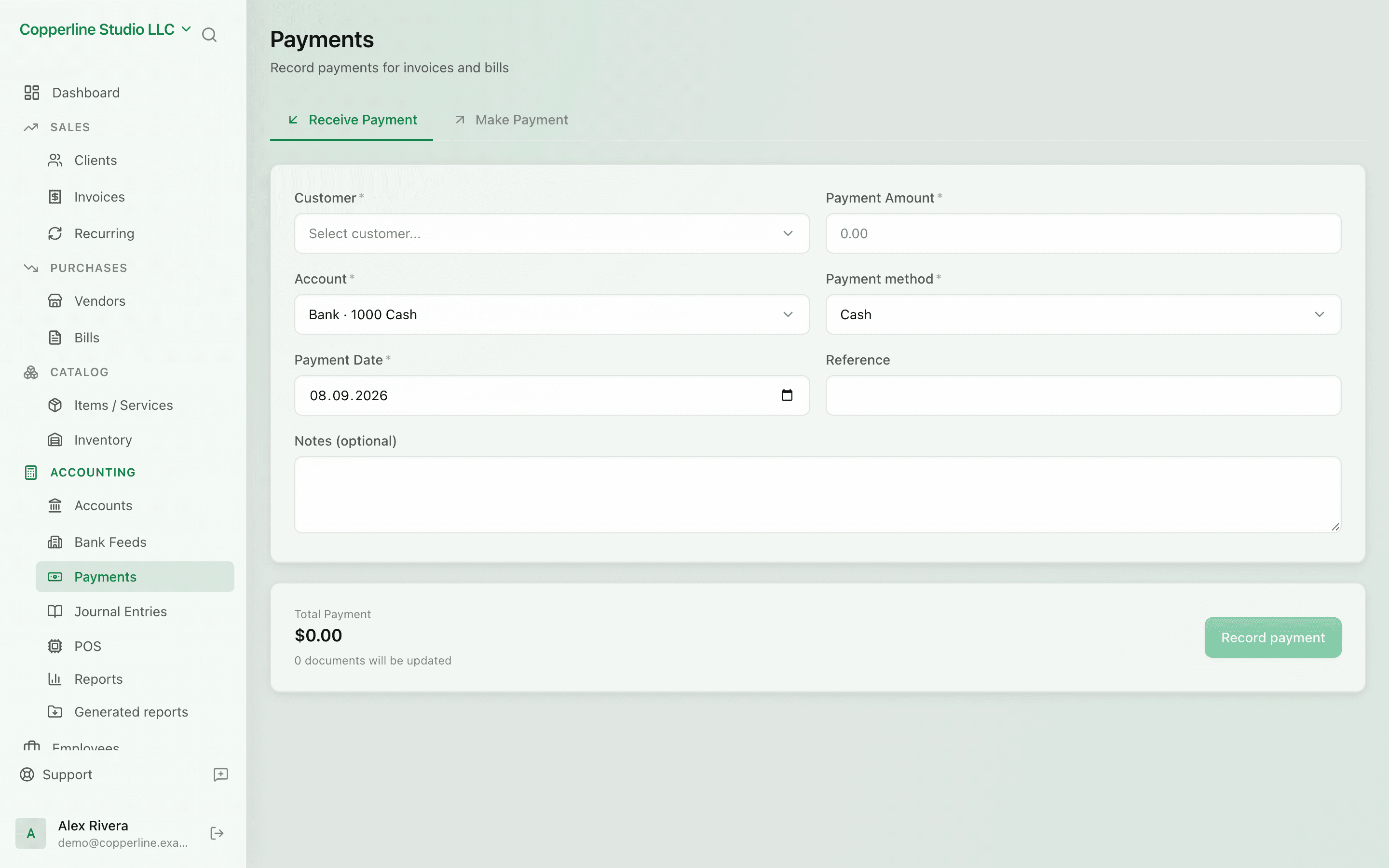
Payments, matched and posted.

Record what comes in and what goes out. Nefin matches the payment to the invoice or bill and posts the journal entry for you.

  • Match payments to invoices or bills
  • Partial and split payments
  • Multi-currency with FX gain/loss
  • Posts to a real bank account

What you get

Inbound and outbound — matched to invoices and bills, posted to the ledger.

Match in one click

Pick the invoice or bill the payment is for; Nefin posts and clears it.

Split and partial

Split a payment across multiple invoices or take a partial — both supported.

FX handled

Payment in a different currency? Nefin records the rate and books any gain or loss automatically.

Bank-aware

Every payment hits a specific bank account so reconciliation later is trivial.

How it works

  1. 1

    Record a payment

    Inbound or outbound — pick the type, the amount, and the bank account.

  2. 2

    Match it

    Choose the invoice(s) or bill(s) it pays. Partial amounts and splits are fine.

  3. 3

    Posted automatically

    Nefin posts the journal entry, clears the receivable or payable, and updates aging.

  4. 4

    Reconcile later

    When the bank statement comes in, payments line up; reconciliation is a few clicks.

Frequently asked

Can a single payment cover multiple invoices?

Yes. Allocate the amount across invoices; Nefin posts and clears each correctly.

What about overpayments and credit notes?

Overpayments stay on file as customer credit. Credit notes are first-class and apply against future invoices.

Are bank fees on payments handled?

Yes. Add a fee line to the payment; it posts to your bank-fees expense account.

Ready to run cleaner books?

Open Nefin in minutes. No credit card required.