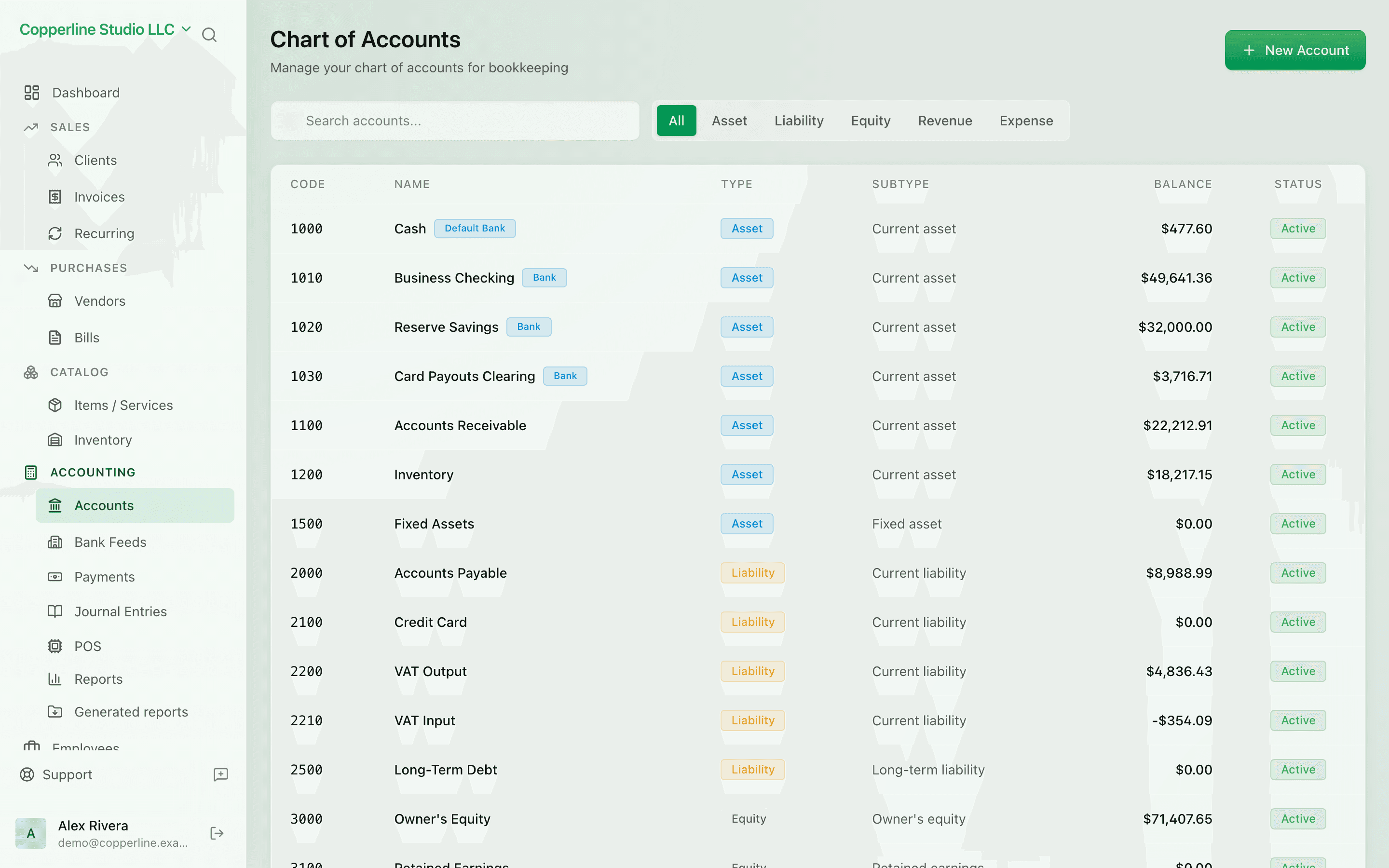
A chart that fits your business.

Start from a sensible default, customize what you need, and let every invoice, bill, and payment post here automatically.

  • Default chart out of the box
  • Asset, liability, equity, revenue, expense
  • Sub-accounts and grouping
  • Search, filter, and reorder

What you get

A clean, double-entry chart that fits how your business actually runs.

Sensible defaults

New companies get a working chart on day one — no setup workshop required.

Group with sub-accounts

Roll detailed accounts up to clean parents on reports, without hiding the detail.

Find anything fast

Search by name or code, filter by type, sort by balance — find the account you need in seconds.

Built on double-entry

Every account is anchored to one of the five types. The trial balance always balances.

How it works

  1. 1

    Start from the default

    Sign up and you'll have a working chart of accounts immediately.

  2. 2

    Adjust to your business

    Add, rename, or hide accounts. Move things into sub-accounts to keep reports tidy.

  3. 3

    Post transactions

    Invoices, bills, and journal entries all post to accounts you've defined — no escapes.

  4. 4

    Run the trial balance

    At any moment, run the trial balance. Debits equal credits — guaranteed.

Frequently asked

Can I import my existing chart of accounts?

Yes. CSV import is supported, and you can edit the chart after import to match Nefin's account types.

Can I rename or merge accounts later?

Renames are safe at any time. Merging accounts is supported with a guided flow that re-points historical postings.

Are account codes optional?

Codes are optional. If you use them, Nefin sorts the chart by code; if you don't, accounts sort by type and name.

How deep can sub-accounts go?

Up to several levels. We recommend keeping it shallow — most businesses do well with one level of sub-accounts.

Ready to run cleaner books?

Open Nefin in minutes. No credit card required.