Reports that are always current.
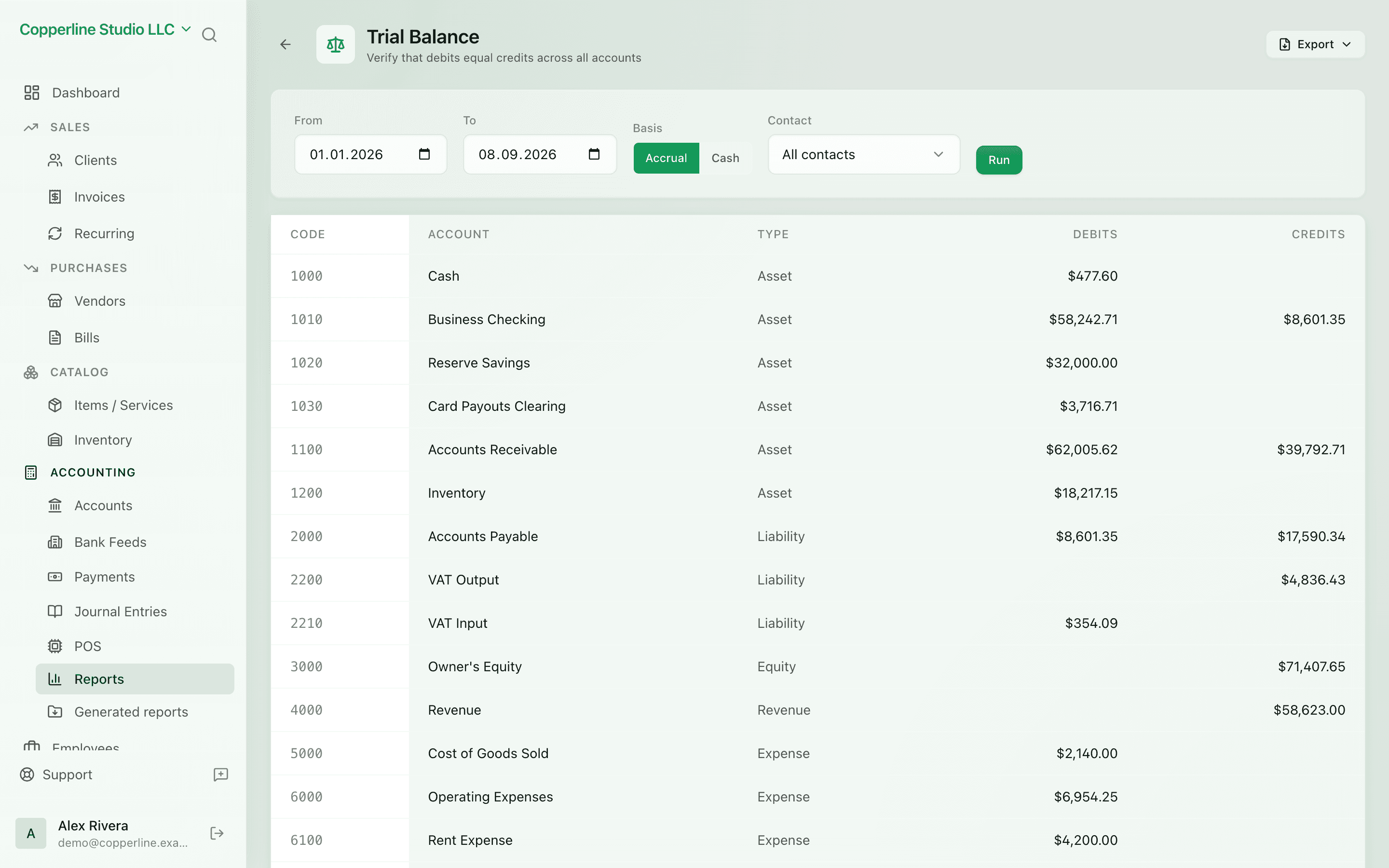
- P&L, balance sheet, trial balance
- AR and AP aging by bucket
- General ledger drill-down
Journal entriesClient management
What you get
P&L, balance sheet, trial balance, aging — live, on every transaction.
Frequently asked
Do I need to close the period to see accurate reports?
No. Reports update as transactions post. You can still close periods to lock the numbers for tax filing.
Can I run accrual and cash-basis P&L?
Yes. Toggle between accrual and cash basis on the P&L and the report recalculates instantly.
Are reports available in multiple currencies?
Reports are in your base currency. Multi-currency transactions are FX-converted at the rate recorded on each posting.
Can my accountant see the reports?
Yes. Invite them with a read-only role; they get full reporting access without write permissions.
Works with
Kosovo VAT / TAK books
Libri i Shitjes and Libri i Blerjes generated from your ledger, exported to Excel.
Learn moreAI assistant
Ask questions about your books; approve any change before it happens.
Learn moreJournal entries
Manual, double-entry postings for the edge cases.
Learn moreInvoicing
Send branded invoices and get paid faster.
Learn more