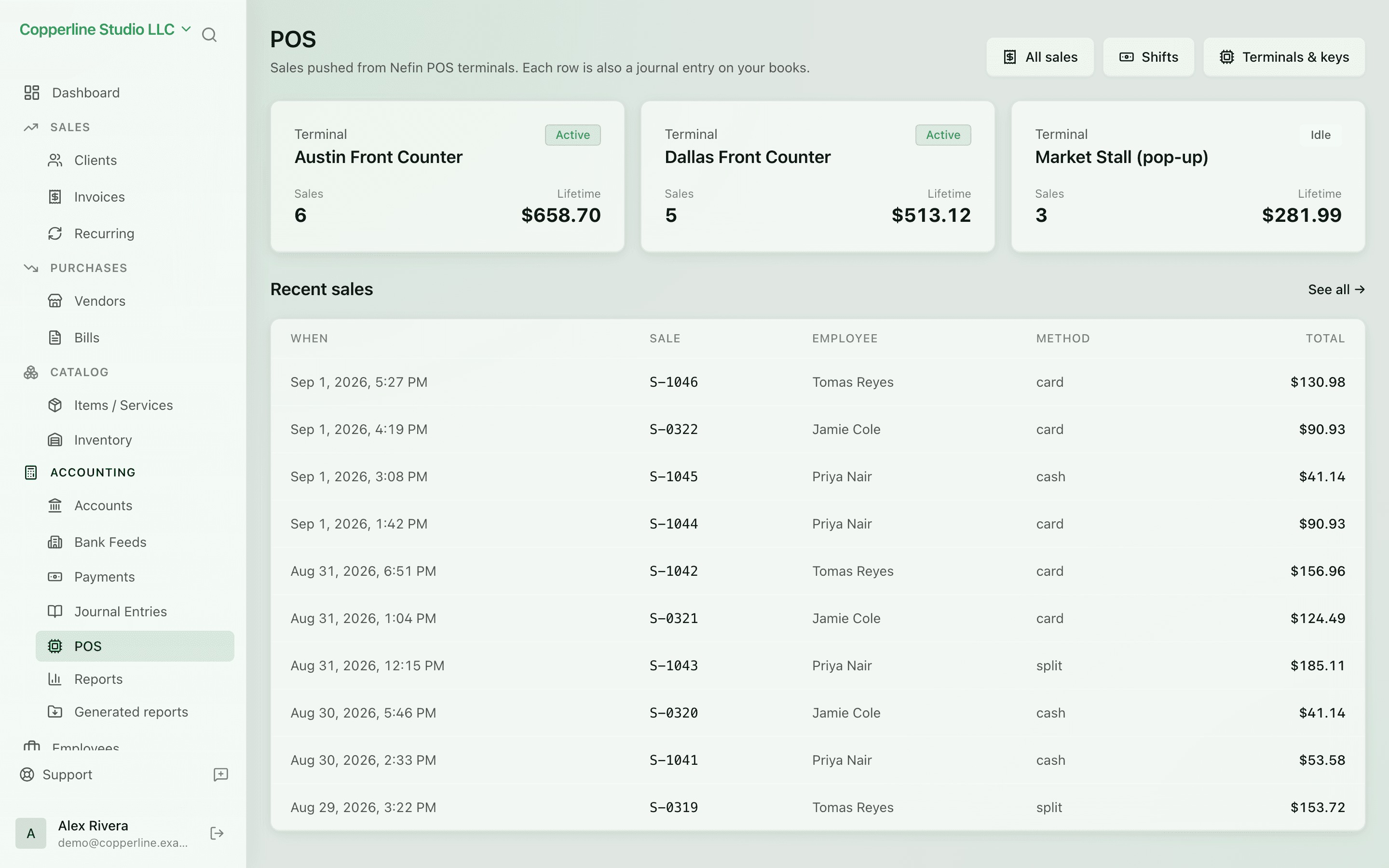
Sell on the till. Book on Nefin.

Offline-first point of sale on macOS, Windows, and Linux. Sync turns every sale into a real journal entry — no per-terminal fees.

  • Free, no per-seat fees
  • Offline-first; works without wifi
  • Each sale posts a journal entry
  • Updates inventory and COGS

What you get

A free, offline-first POS that syncs every sale to your books.

Offline by design

Sales commit locally and queue for cloud sync. Even when the wifi drops, you keep selling.

Sales become books

Each synced sale posts DR Cash, CR Revenue, CR VAT — real double-entry, no manual postings.

Inventory, COGS, live

Tracked items reduce stock and post COGS automatically when each sale syncs.

Free, no per-terminal cost

Run as many terminals as you need. Pay only for the cloud features you use.

How it works

  1. 1

    Download the POS

    macOS, Windows, or Linux. Install in minutes; no account required to use it locally.

  2. 2

    Pair to your company

    Sign in to Nefin from the POS. Catalog and tax rates sync down.

  3. 3

    Sell

    Run the till on or offline. Sales, refunds, and shifts all commit locally.

  4. 4

    Sync to the books

    When you reconnect, Nefin posts every sale as a journal entry. Inventory and reports update live.

Frequently asked

What happens to sales made offline?

They commit locally and queue. When the device reconnects, Nefin posts them in order to the cloud books.

Is the POS really free?

Yes. The POS app is free with no per-seat or per-terminal fees. Cloud bookkeeping has its own pricing.

Can I run multiple terminals on one company?

Yes. Each terminal is its own device; all sync to the same Nefin company and books.

What about hardware (printers, drawers, scanners)?

The POS supports common ESC/POS receipt printers and standard barcode scanners. Cash-drawer kick is supported via printer.

Ready to swap the till for something modern?

Download the POS, sign up for Nefin, and your books update with every sale.