Stay on top of what you owe.
- Capture bills with line-level detail
- Auto-posts payable + expense + tax
- Due-date alerts and AP aging
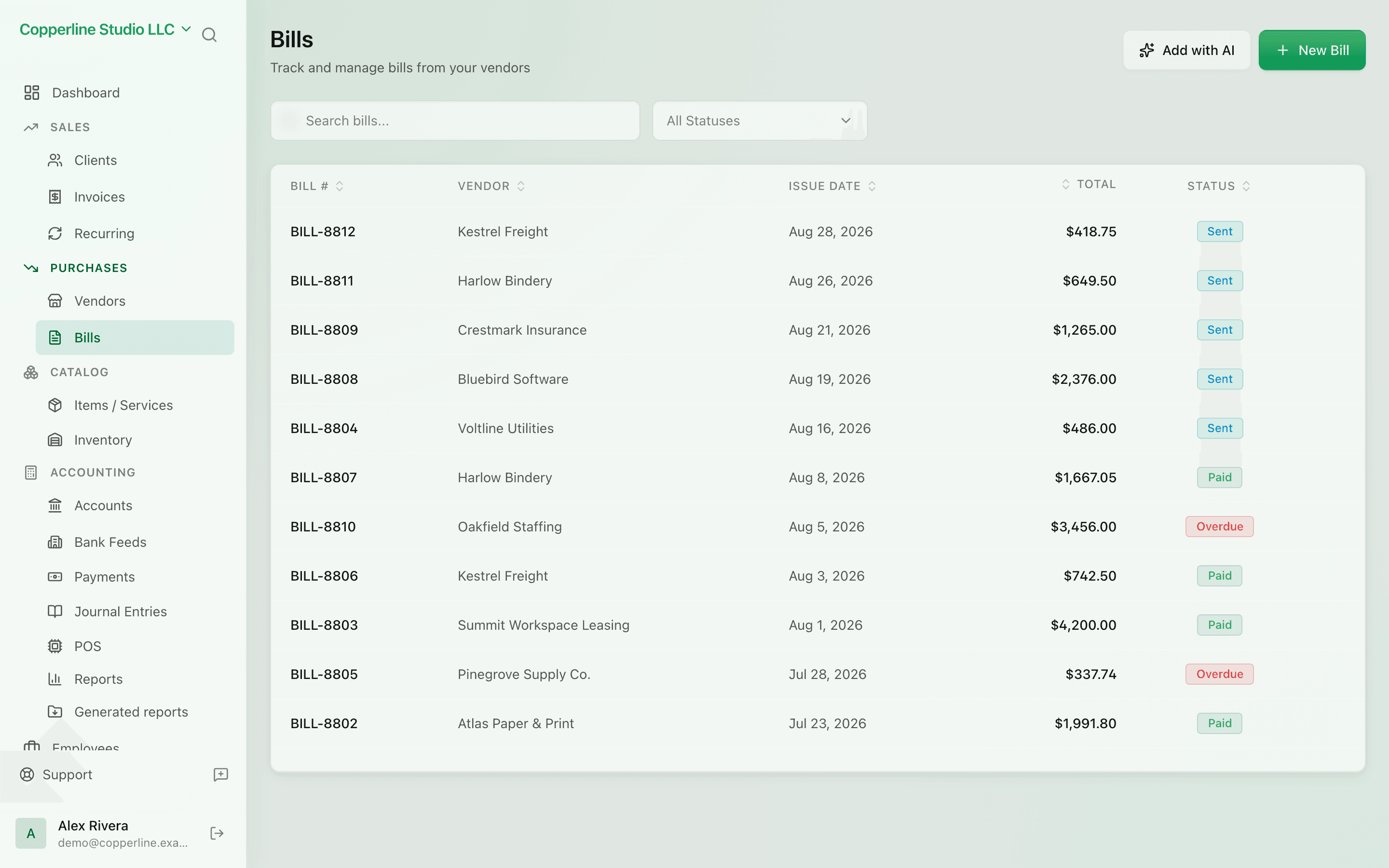
What you get
Track every bill from receipt to payment — and never miss a due date.
Frequently asked
Can a bill have multiple expense categories?
Yes. Each line on the bill can hit a different expense account, so a single utility bill can be split across departments or projects.
What if I pay a bill in a different currency than it was issued?
Nefin records the FX gain or loss automatically when you reconcile the payment, so your P&L reflects reality.
Can I record a partial payment?
Yes. Pay any amount; the bill stays open with the remaining balance and continues to age until fully paid.
Do bills work with VAT reclaim?
Yes. Set the tax rate per line. Reclaimable VAT is tracked separately and shows up on your VAT report.
Works with
AI bill extraction
Upload a supplier bill as PDF or photo and review a ready-made draft.
Learn moreVendor management
Every supplier, every bill, every balance.
Learn morePayments
Inbound and outbound — matched, posted, reconciled.
Learn moreFile attachments
Drag receipts, contracts and statements onto the records they belong to.
Learn more